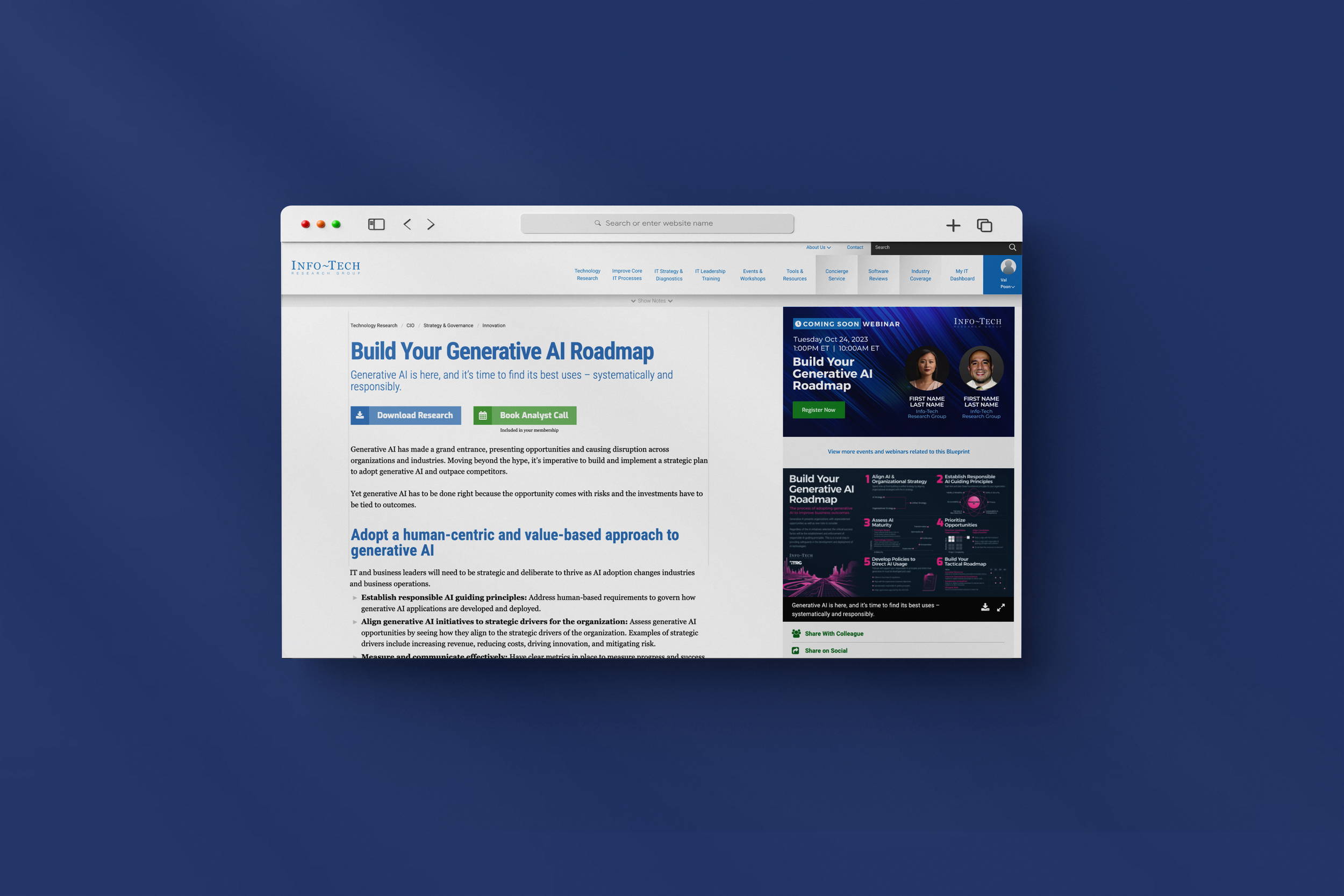
Webinars on Blueprint Pages
System Mapping + UX Design
Delivered UX/system maps to re-home webinar registration for users from external Pardot landing pages to the blueprint pages on the internal website. These webinars are now created using an internal CMS, thereby creating a more controlled user experience, reducing work load for the internal team, and increasing revenue.
Time Frame
September 2023 - April 2024
Project Status
This feature is live on the internal CMS and on Infotech.com
Team
Various members from the design, front end, back end, product, and marketing teams at Info-Tech Research Group.
The Context/Background
Info-Tech hosts multiple webinars per month. Many of the webinars are directly related to research “blueprints”.
Before this project:
There was currently no way for these webinars to be displayed on the blueprint pages until they had already passed (at this point, they would be uploaded as videos).
Each webinar had to be created and marketed through external Pardot pages. This meant that registration would take place external to our company website.
This posed a variety of problems due to which, we, the UX team, were tasked to figure out how this could be improved from a business as well as a user’s perspective.
The Problem
Through various discovery calls with various stakeholders, we understood that:
This process for creating webinars was long and tedious, taking the team approximately 3-4 hours for the creation of each webinar including time spent communicating for assets, bringing up the creation effort and cost.
There was a missing link between the webinar and the research it was supposed to be “linked” to because the registration did not exist on the research blueprint pages. Hence, the only way for a user to register for these webinars was through the events and webinars page or through a marketing link that would take them directly to the external pages.
This method did not provide flexibility in displaying the user’s current registration state because of the various tools involved. This goes against UX principle/heuristic “Visibility of system status” and caused users to register multiple times without warning.
The Solution
Re-think the webinar creation process so that:
It is easier and less tedious for the marketing team to create new webinars thereby making it more cost efficient for the business.
Increase the number of raw leads who register for the webinars directly from the blueprint pages.
It delivers a more controlled user experience for users trying to register for a webinar because it exists within the internal ecosystem.
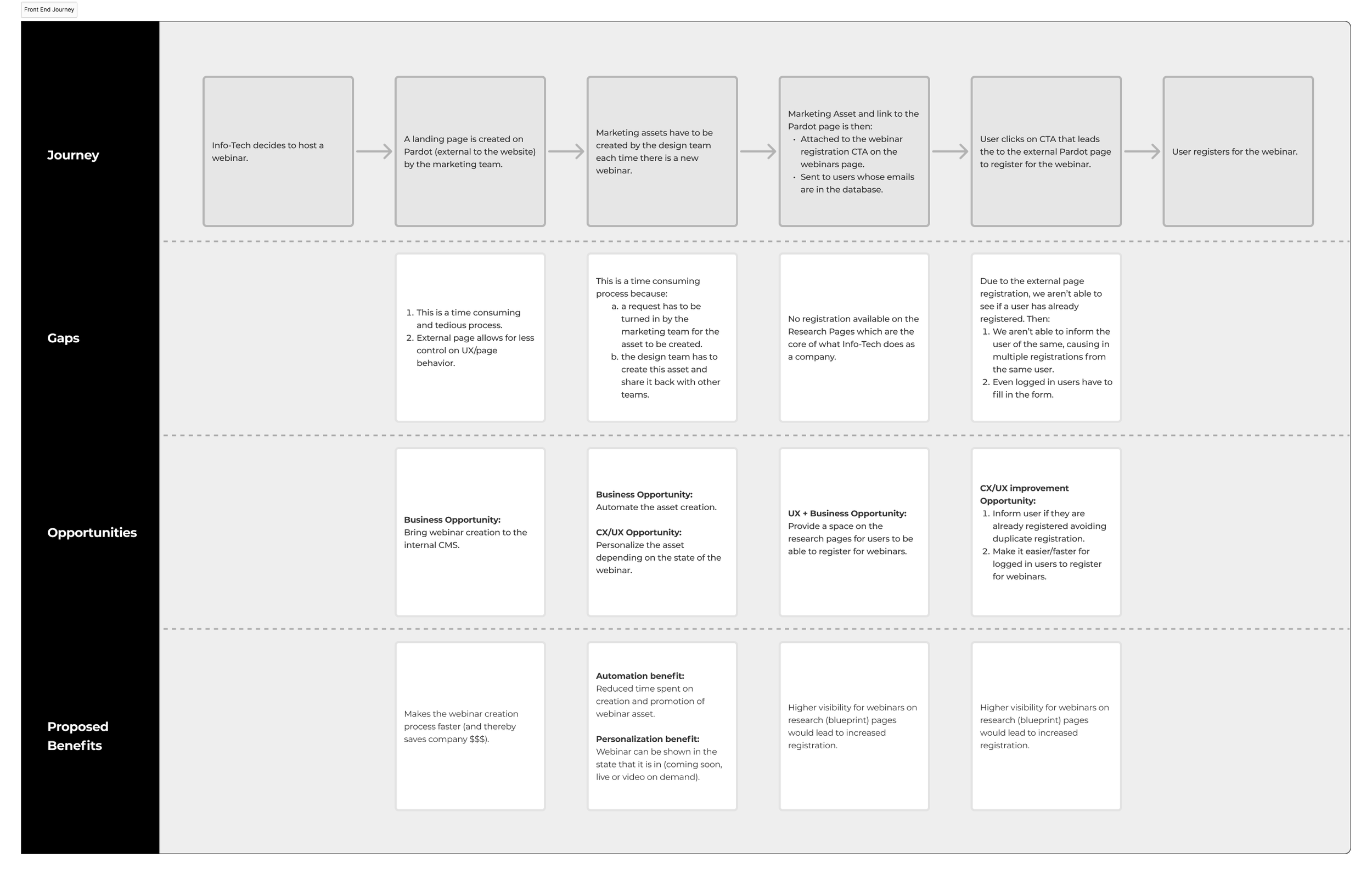
Front End Process Map - from Creation of a webinar to User Registration:
Learn more about what we did in each of the steps/phases of this project:
-
o During this phase, requirements were collected from the various teams to try to get a holistic understanding of what the webinar creation project entails and we tried to capture the various integrations that needed to be considered.
o We learned that, for the creation of each webinar –
There are multiple assets that are required including a background image, images of speakers within the webinar, webinar date and time, webinar details.
A salesforce campaign is created for the webinars.
Pardot form handlers are used to capture information.
The webinar is hosted on ON24.
The unique Event ID needs to align at all places so that registrants/leads can be accurately captured on Salesforce.
-
o During this phase, it was important to keep the process high level and focus on accurately articulating for each team what all needed to be considered.
-
o This phase was about creating the new flows that would become the new webinar creation and registration process. It was important to keep all stakeholders aligned, and accurately inform all decisions we made along the way.
o Iteration based on incorporated feedback was a crucial part of this phase. It was important to consider nuances like:
How a webinar would be created.
How a user will register for a webinar.
What happens when a webinar has already passed.
User State:
Is the user logged in or logged out?
Has the user already signed up for this webinar before?
Webinar State:
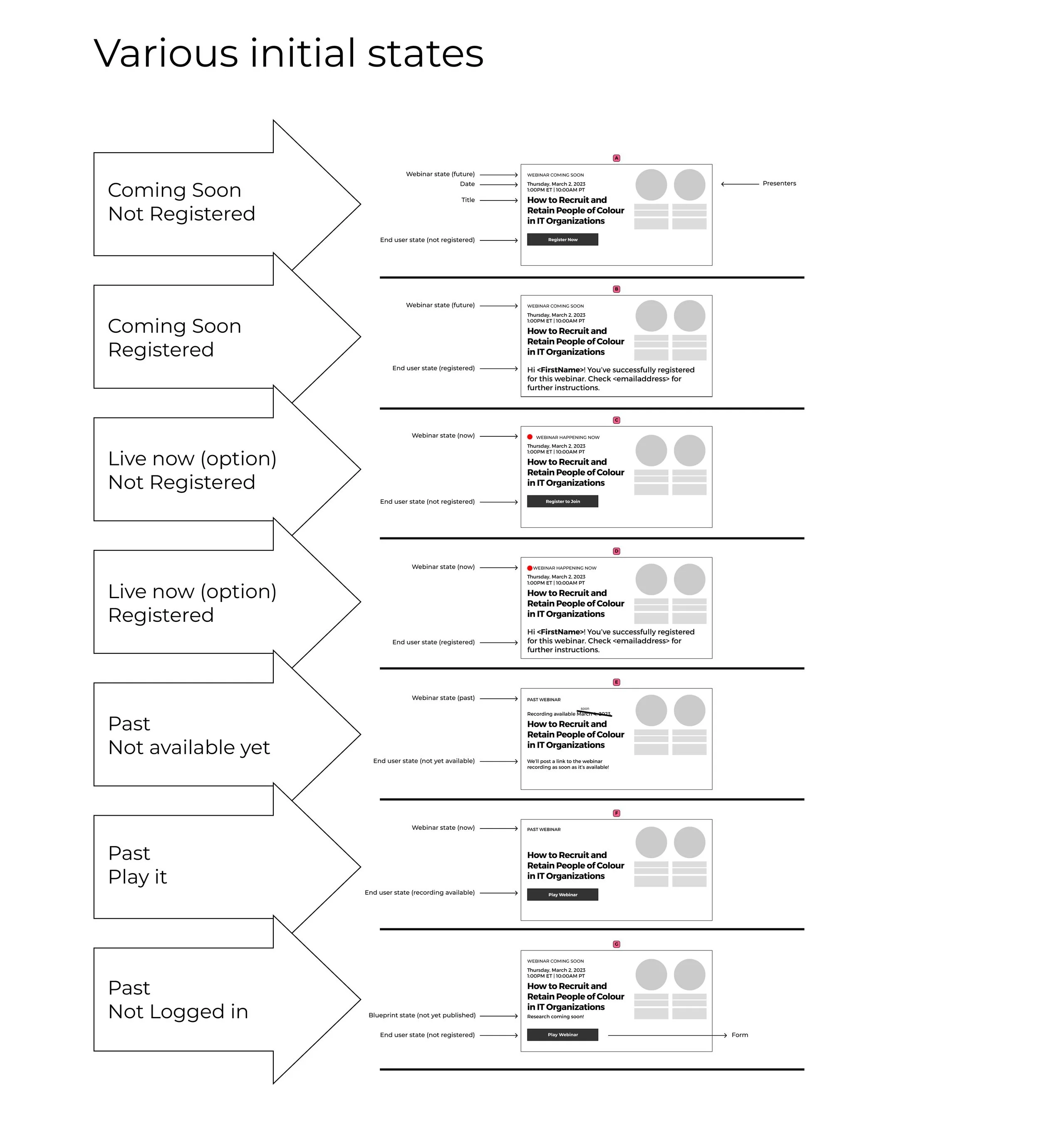
Coming soon (webinar is happening at a future time/date)
Live (webinar is currently happening)
Just passed (recording available soon)
On demand (recorded video uploaded)
o This process included providing the designer with all the different “states” and the response the user gets from each state.
o The top heuristic principle in mind here was the visibility of system status. A user should see if they have already registered for a webinar. During our initial creation, while testing, we realized that within the current process, it was possible to register for a webinar more than once, especially as a logged out user because the ON24 system does not recognize the user. We wanted to eliminate this confusion and keep the users informed about their registration status. This phase was about creating the new flows that would become the new webinar creation and registration process. It was important to keep all stakeholders aligned, and accurately inform all decisions we made along the way.
-
This was a phase of adjustments and changes based on gathered feedback.
-
View image below to see the final design.
The design and front-end for this was done by Debbie Rosenfeld.
Opportunities (as identified in the system map above) in Action:
1. Webinar tiles are automatically created through the CMS and registration can now happen directly on the research pages.
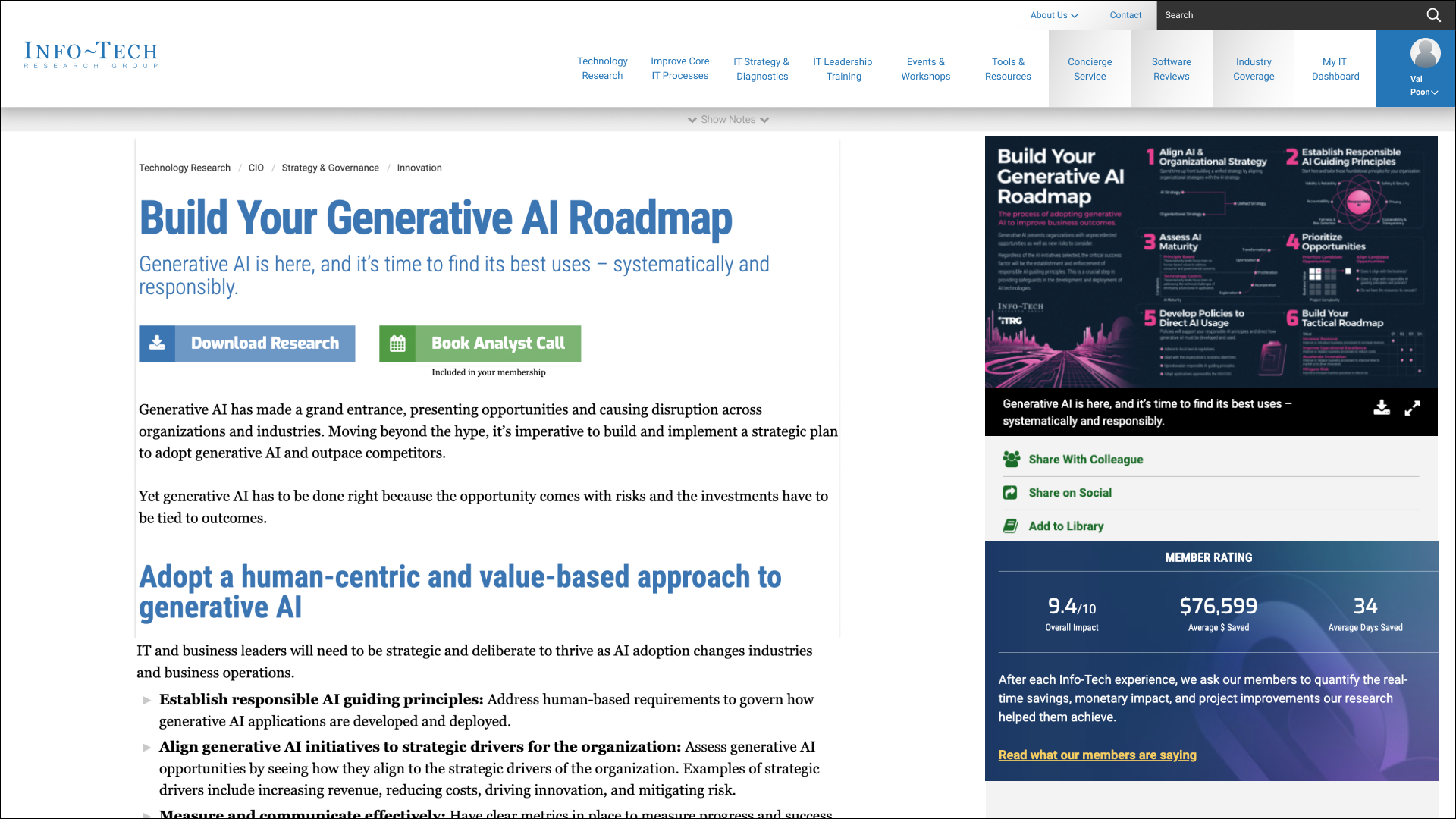
Before: There was no way to register for a webinar from the research pages.
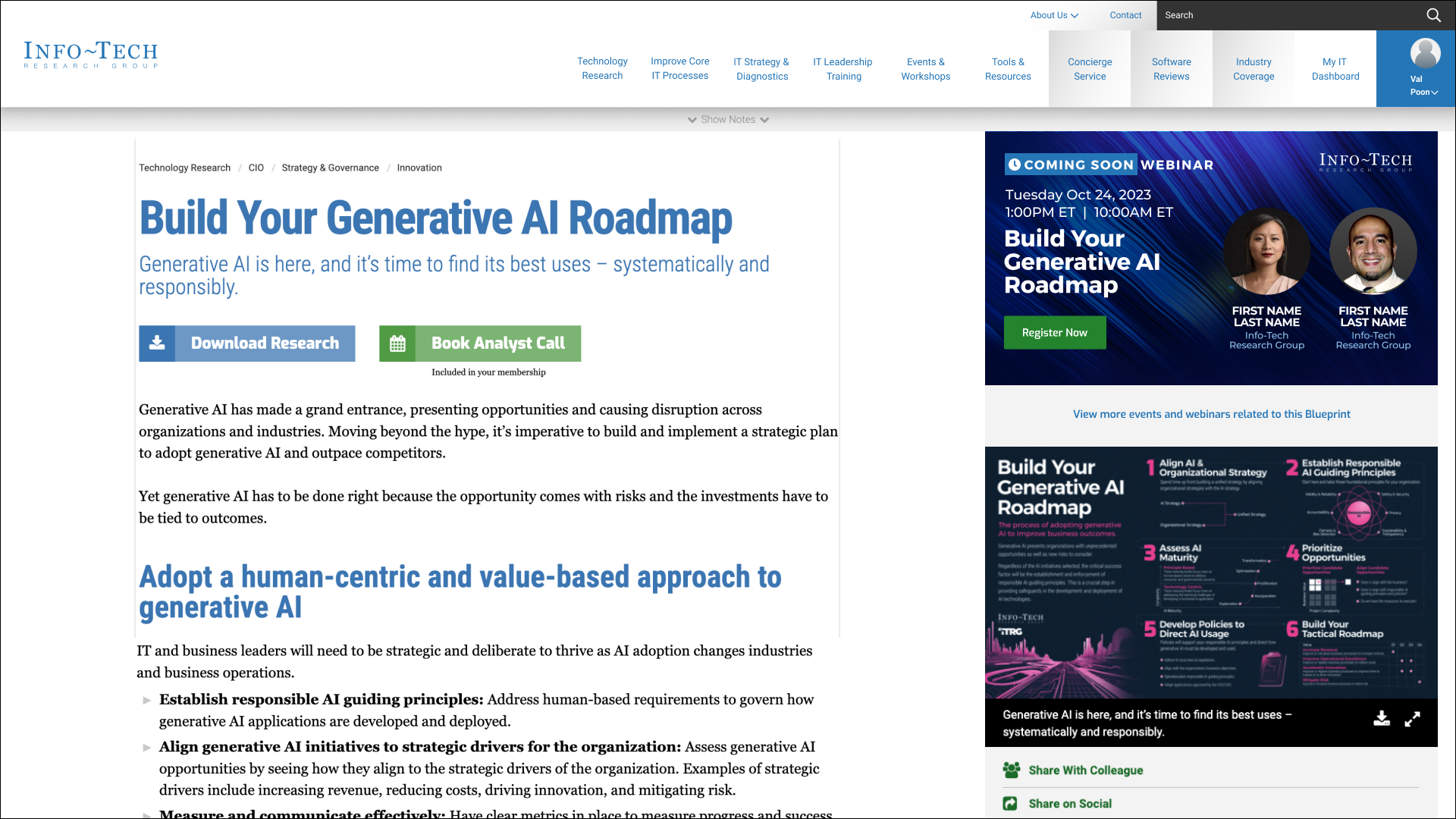
After: Webinar Registration tile was added to the research pages. This tile is created directly from the internal CMS. It’s as simple as filling up a form with all the details and connecting it to a piece of research, where it will automatically show up (top right).
2. The webinar tile automatically changes based on the state of the webinar.

State: Coming soon
Webinar will be happening in the future.

State: Live
Webinar is happening now but can still be joined.

State: Available soon
Webinar took place in the past 24-48 hours but the video hasn’t been uploaded yet.

State: On Demand Video
Webinar took place in the past; it is now available as video on demand.
3. Logged in users don’t have to fill up a form anymore.
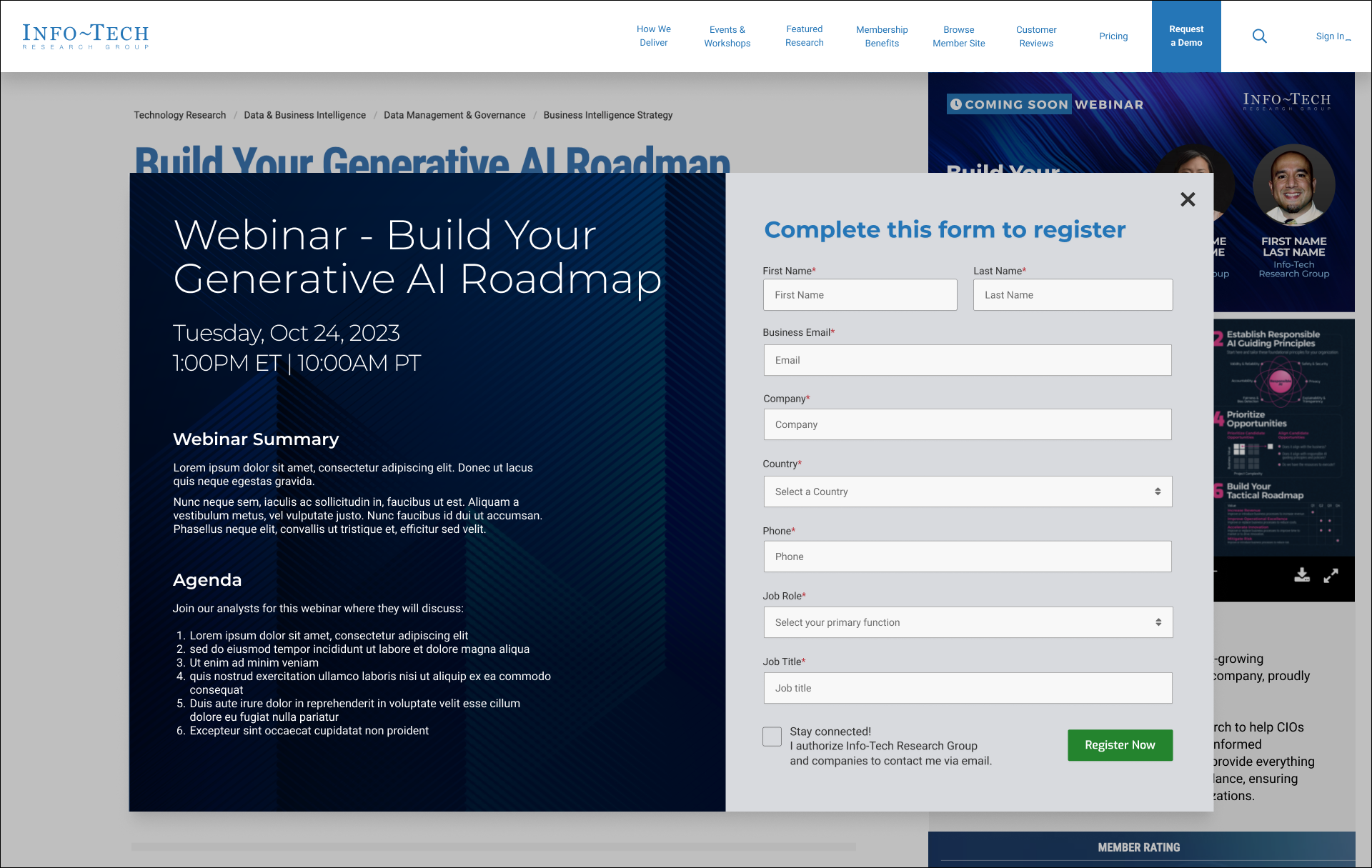
Logged out view: User has to fill in a form.
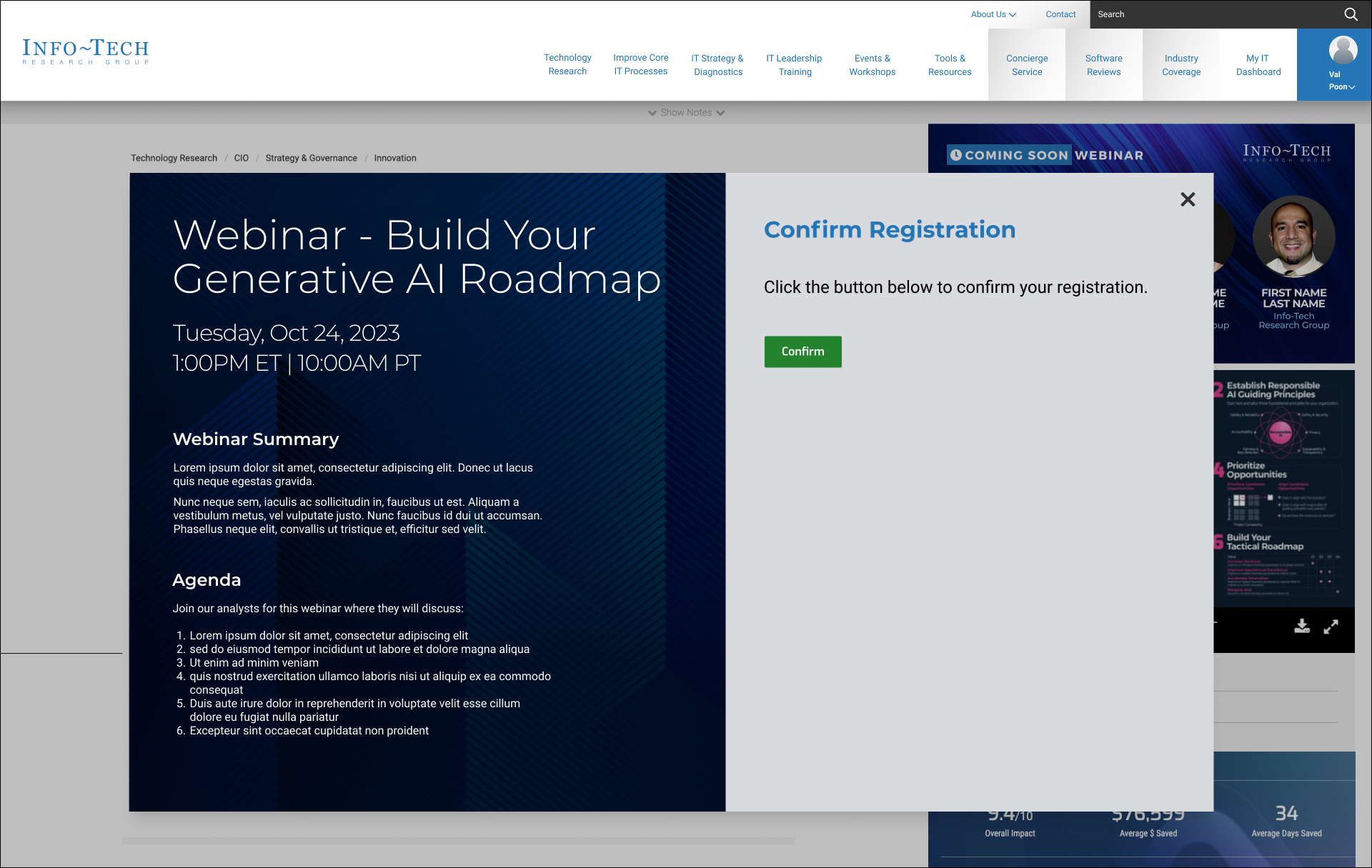
Logged in view: User just needs to confirm their registration.
The UX Deliverables:
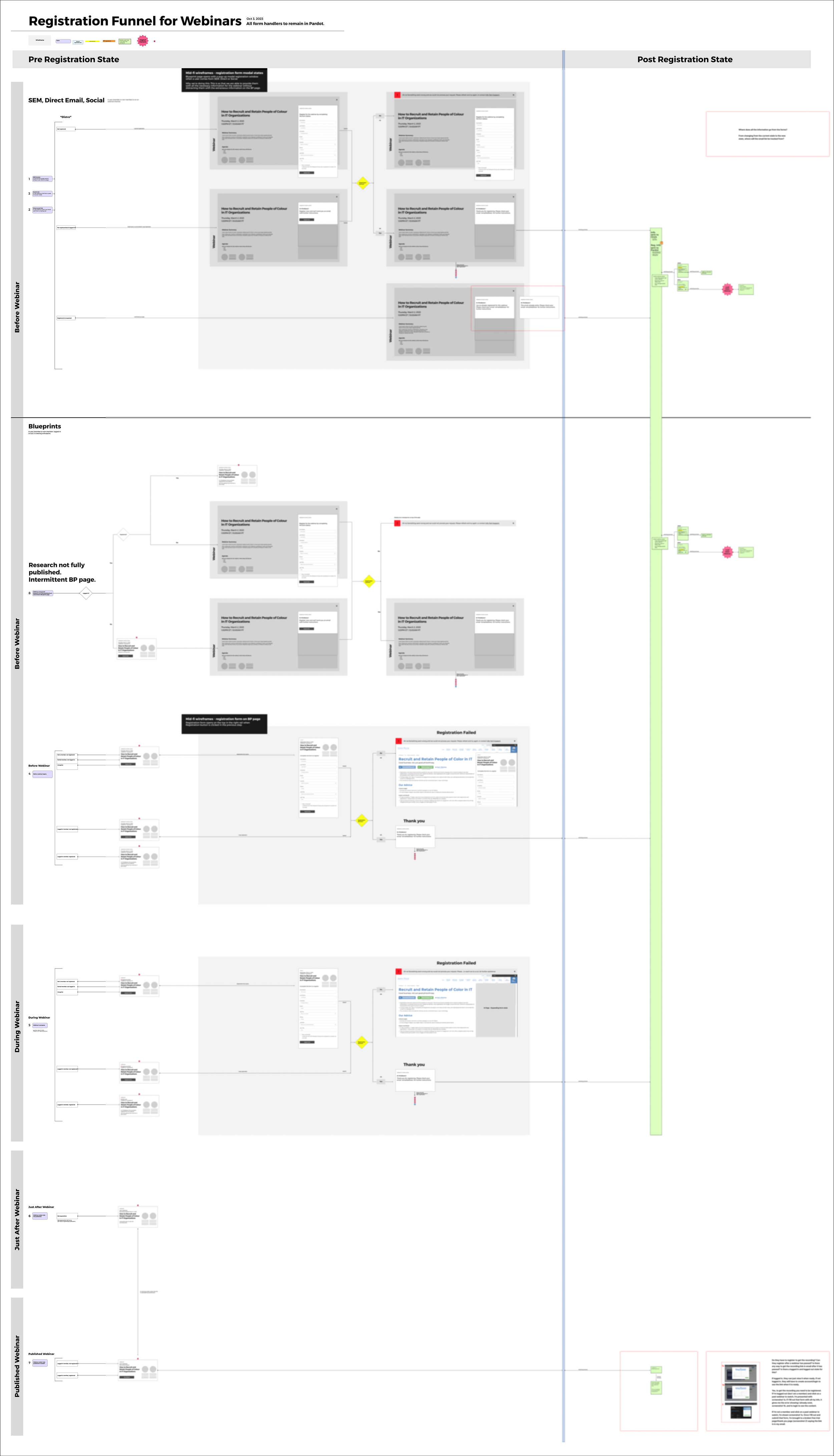
The System Flow, as seen in the image on the right was the main deliverable for our team. It captures the different states for the different users and showcases the wireframes for each state.
These flows were created on the basis of all information captured over the course of the first 4 phases of the project, as mentioned above.
Continue learning about what we did in each of the steps/phases of this project:
-
After we thought we were nearly done, we realized (after more conversations with the teams) that there were a few key details that still needed work:
The webinar tile needed to show up on the SEM pages as well, not just on the logged in and logged out pages version of the blueprint pages. These pages, while not being used as often at the time of this project, would eventually become the common place that a logged-out user would be sent.
There were instances where there was more than one webinar for the same blueprint (either at different future dates or versions based on different continent needs – North America vs Asia-Pacific). A solution was considered to just add a second tile to the blueprint page which was less than ideal. A dropdown tab was then added under the tile which would showcase the various versions of the webinar that one could register for.
Each of the different instances for the webinars had a unique event ID for ON24 (where the webinar would be hosted) and the team needed to be able to enter this on the internal CMS so that the registration email sends the correct link to join, and the registration goes through the correct salesforce funnel.
-
We estimate a decrease in the cost of webinars due to reduction in time spent creating webinars significantly and a ton of reduced effort overall. This is because:
It is easier and less tedious for the marketing team to create new webinars on the internal CMS because of a set “template” that just needs to be filled in.
The one asset that is created auto-updates based on the time/status of the webinar.
When the team uploads the recorded webinar (usually within 24-48 hours, the tile automatically reflects the “on-demand” status and unlocks for all visitors to the site.
The webinars do not need a new Pardot landing page. It delivers a more controlled user experience for users trying to register for a webinar because it exists within the internal ecosystem, on the website itself. For members or anyone with an active account on info-tech, this means a 1-step registration. Which earlier would require a full form fill up. (The registration, although still using the pardot form handlers now controls everything on the back-end.)
Increase the number of raw leads who register for the webinars directly from the blueprint pages.
-
(Even though they are part of a major scope creep, they seem integral to do this project “correctly”)
While we guided the process from an external perspective, two things were not included in this project, which cause the creator of the webinars (marketing team) to use workarounds:
We did not oversee the creation of the webinars using the internal CMS. This meant that a lot of components were re-used from other events or added on to the old webinar process by the development team causing some confusion for which fields to use.
Workaround: The team had to create documentation to understand how to create the webinar using the CMS and which fields to avoid using. While this is okay for the person in charge, it is not a straightforward system for a new person.
How this can be avoided in the future: Ensure that the project is looked at from an internal as well as an external perspective. The users are not just the people using the webinar registration tiles, but also the ones creating them. It’s important to ensure their needs are fully considered.
While we considered what would happen if there was no blueprint page (this is where the webinar lives, as shown above), this was not a major part of the project, and was missed as a requirement. This causes an issue with this edge case such that when a blueprint page does not exist, a webinar may be created, but cannot be registered for. This is because, while it may be shown on the roundtables & webinars page, the pop-up on the roundtables page calls the event on the blueprint page for registration, which in this edge case, does not exist.
Current workaround: Use the old process and create a Pardot (Salesforce) landing page when a blueprint page does not exist.
How this can be avoided in the future: Ensure that all edge cases are not just considered, but discussed early on so the entire team understands the scope of a change. This can avoid scope creep later in the process.